Soldiers!
Halloween is creeping closer to Caliber, and tomorrow begins a new Shadow Arsenal Twitch Drops campaign!
Watch official Caliber partners’ livestreams, collect thematic rewards, and claim the main trophy of the campaign—a unique Emblem.
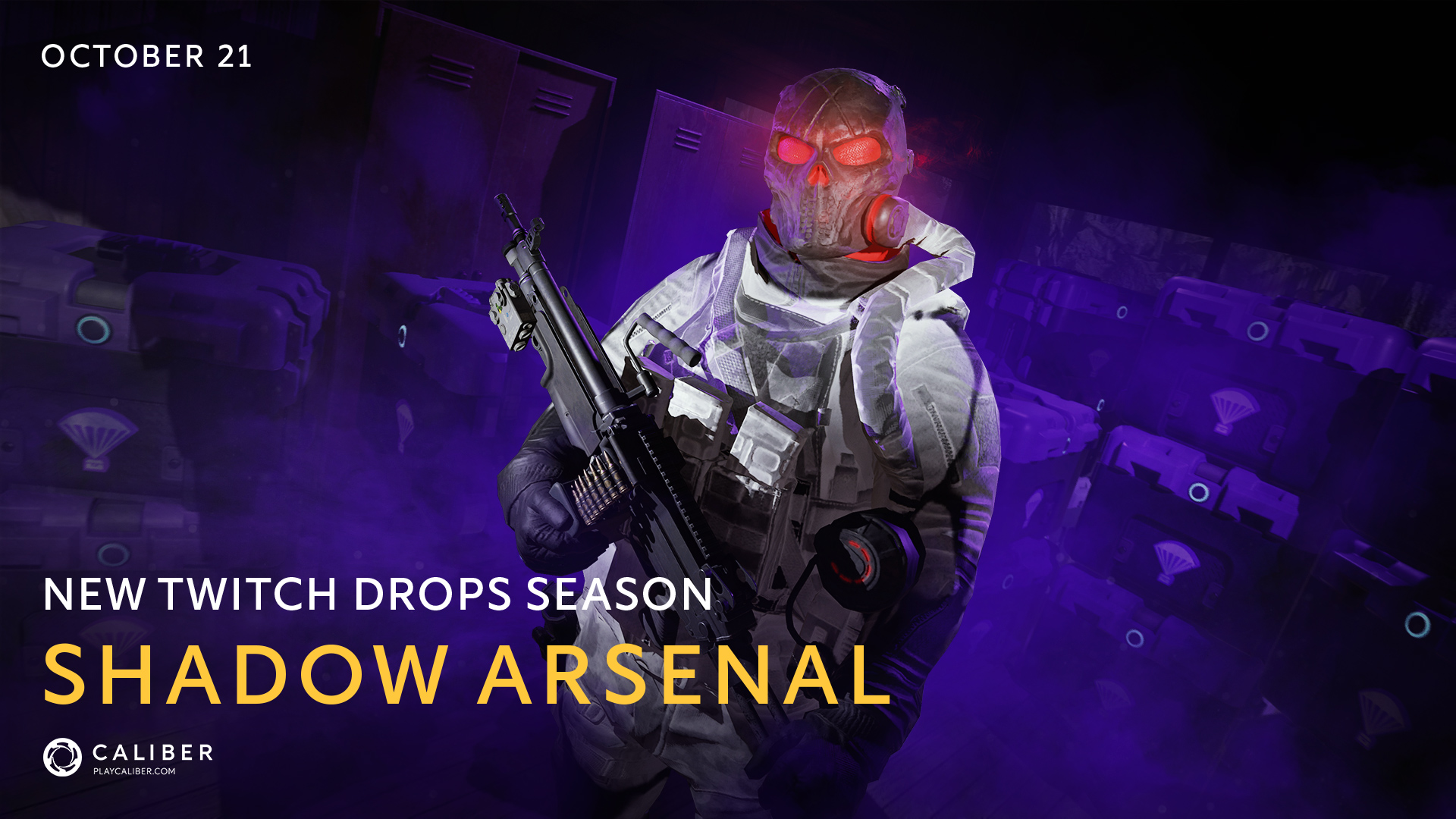
This time, the campaign is divided into two stages: nine days of daily rewards and a three-day finale with a separate progress bar.
Start: October 21 at 8 AM UTC
End: November 1 at 8:59 PM UTC
Start: October 21 at 8 AM UTC
End: October 29 at 8:59 PM UTC.
During this period, watch official Caliber partners’ streams every day and receive rewards as your watch time accumulates.
To claim all of the day's rewards, you need to watch 5 hours of streams. Progress resets at the start of the next day. The Main Stage will last nine days.
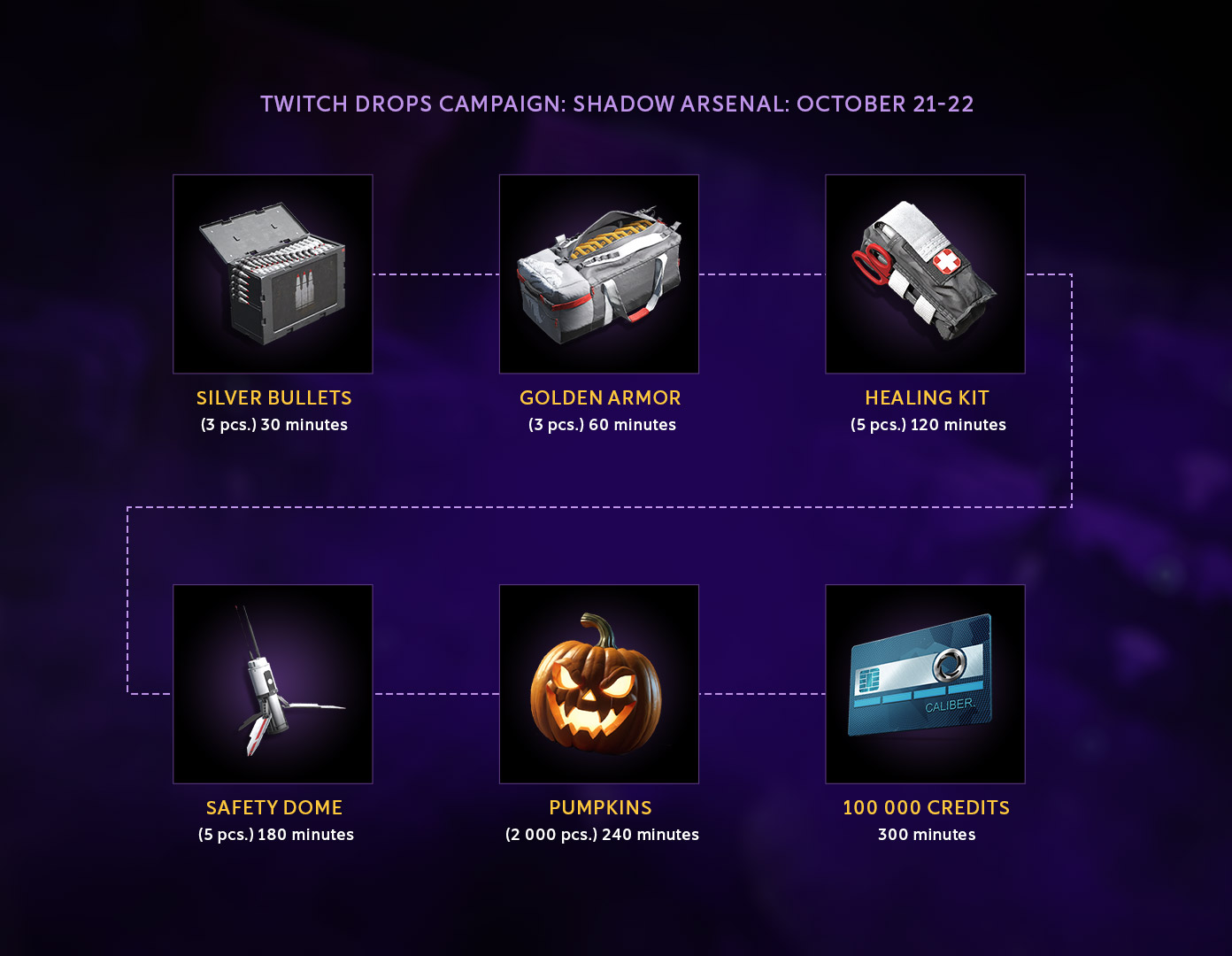
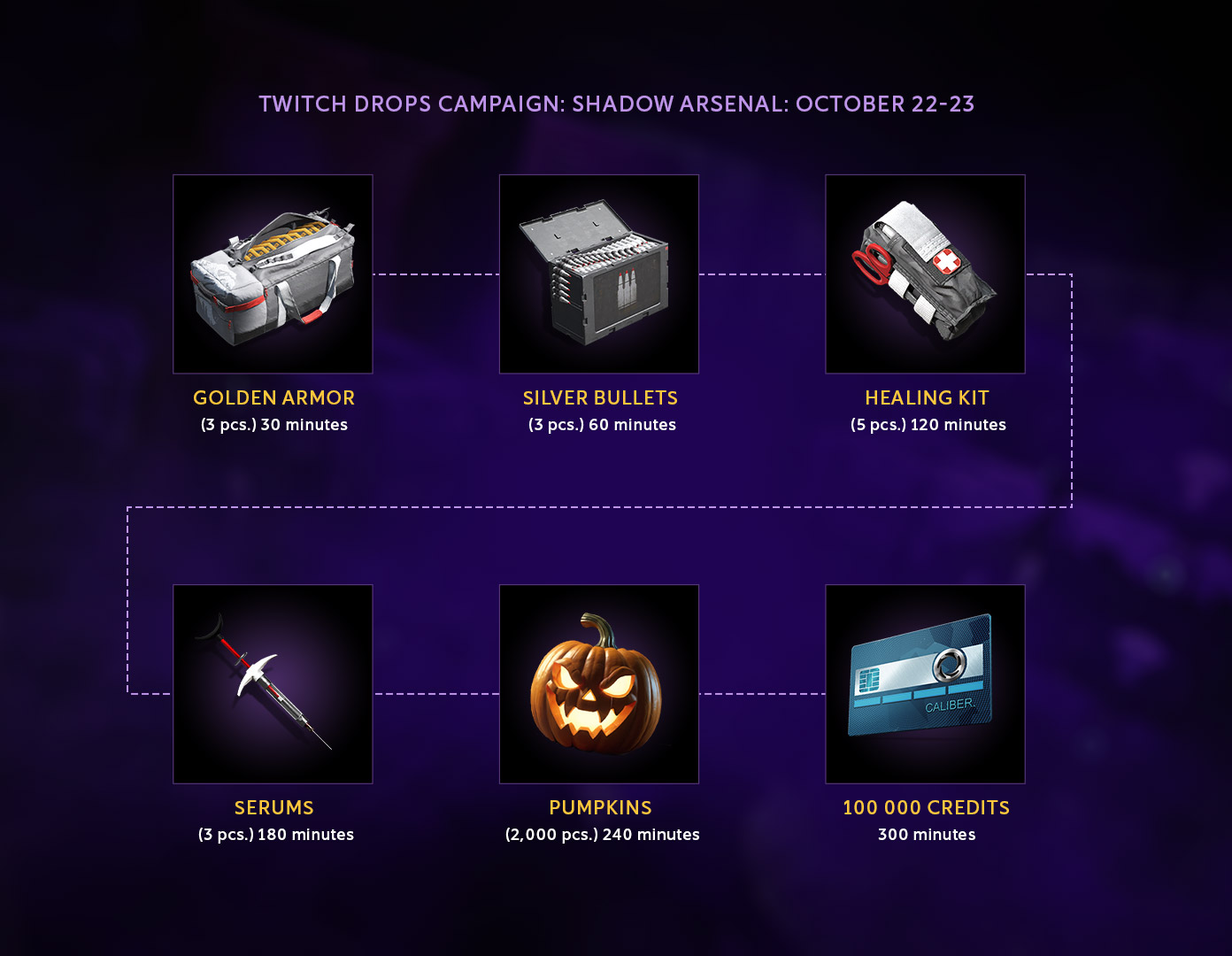
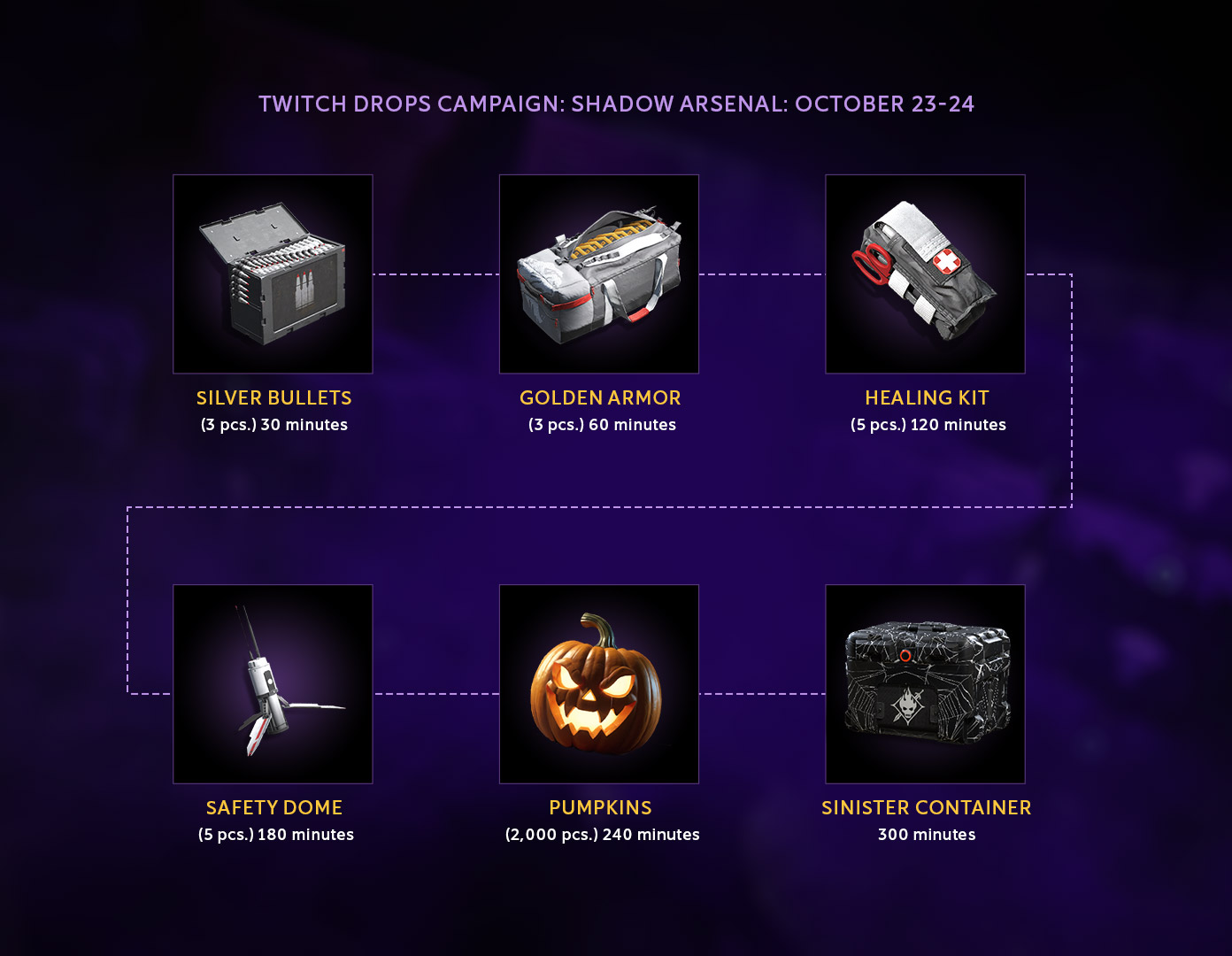
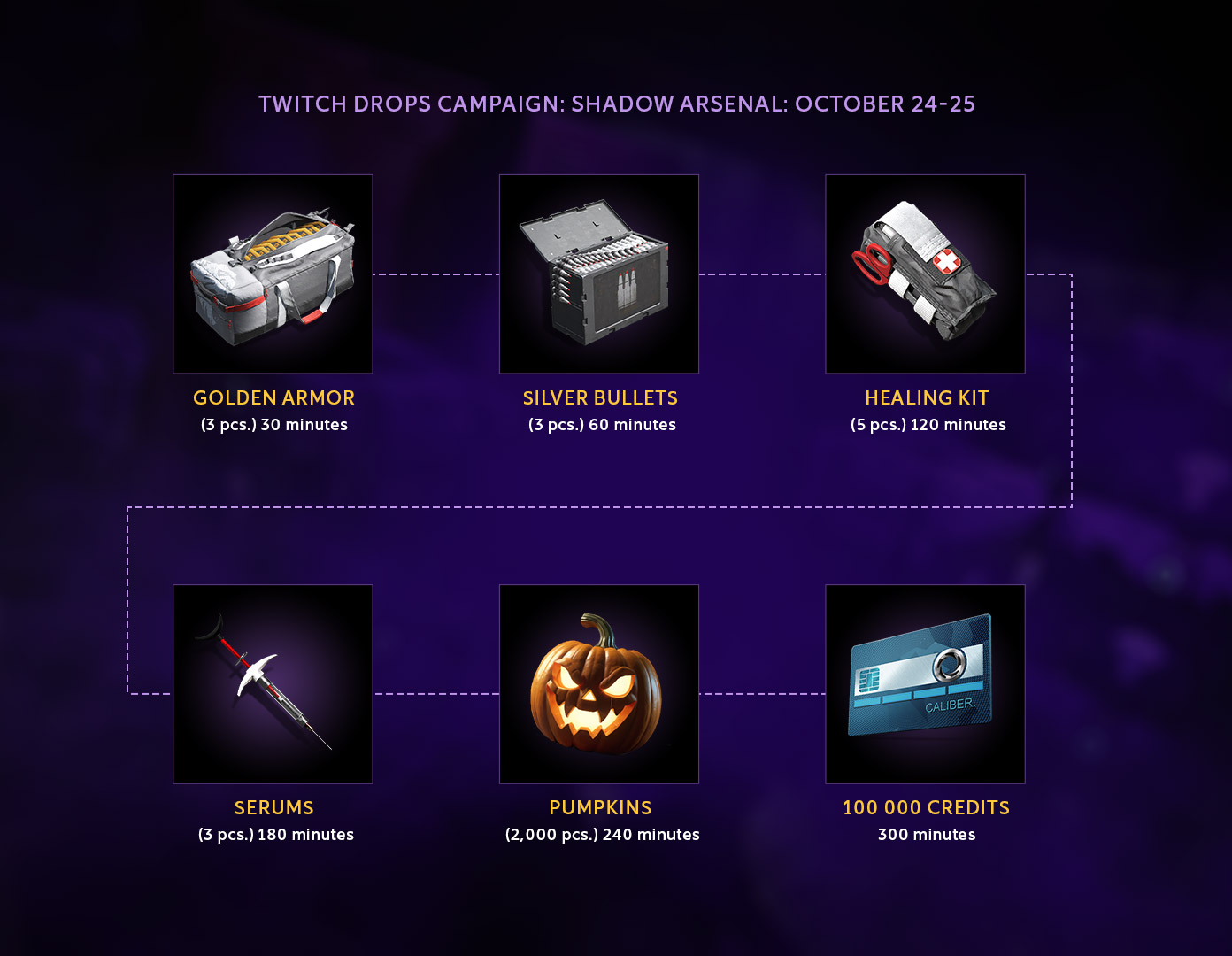
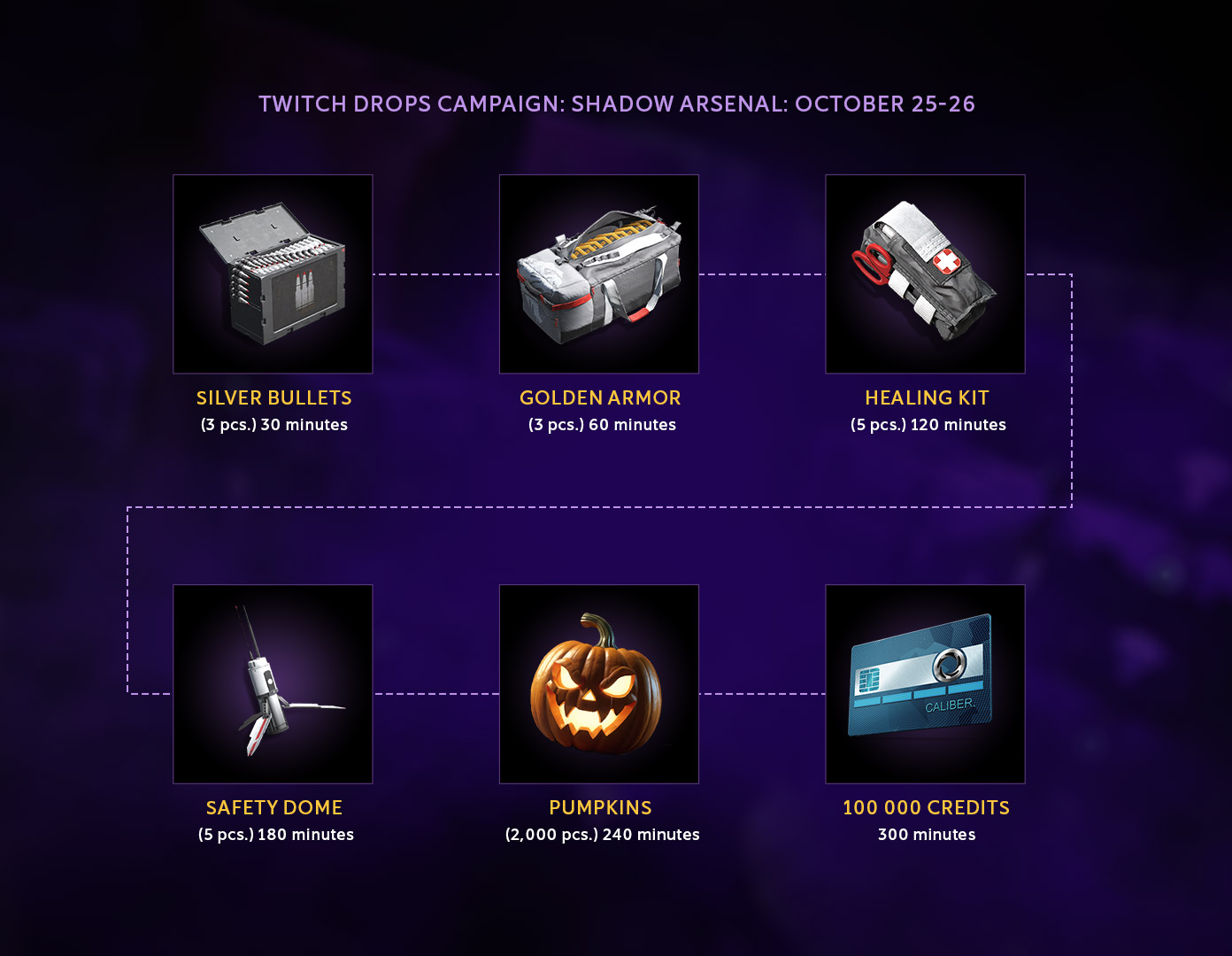
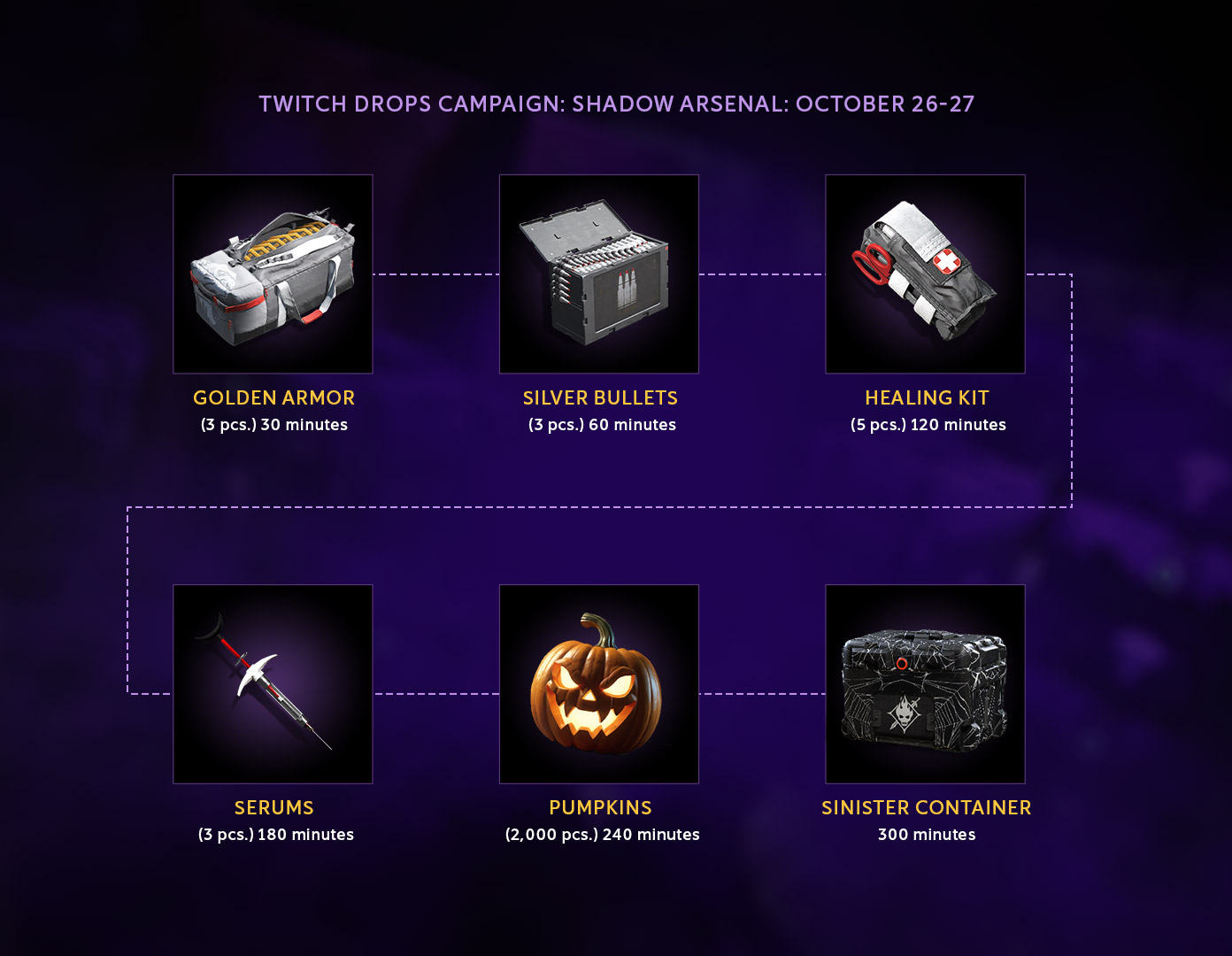
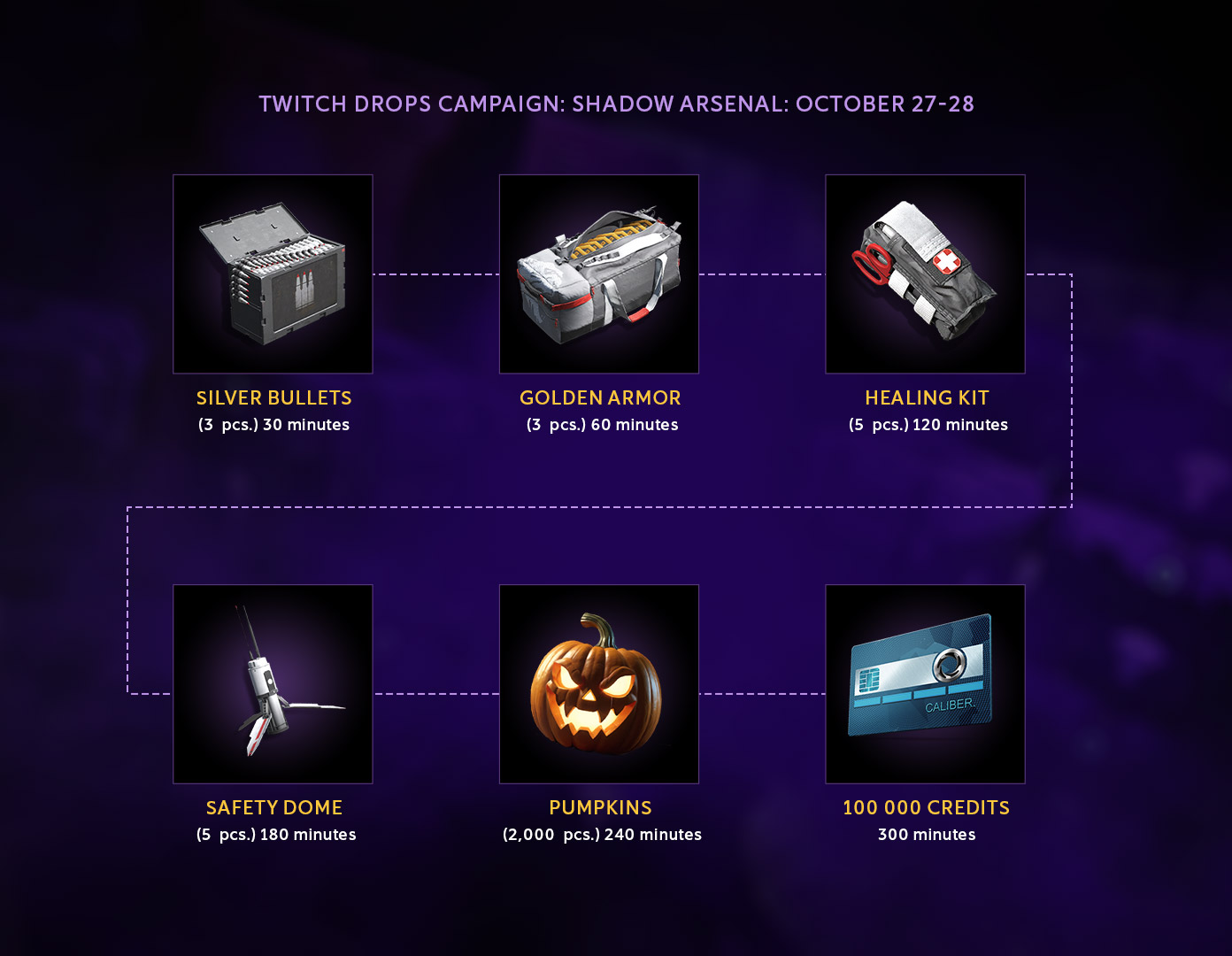
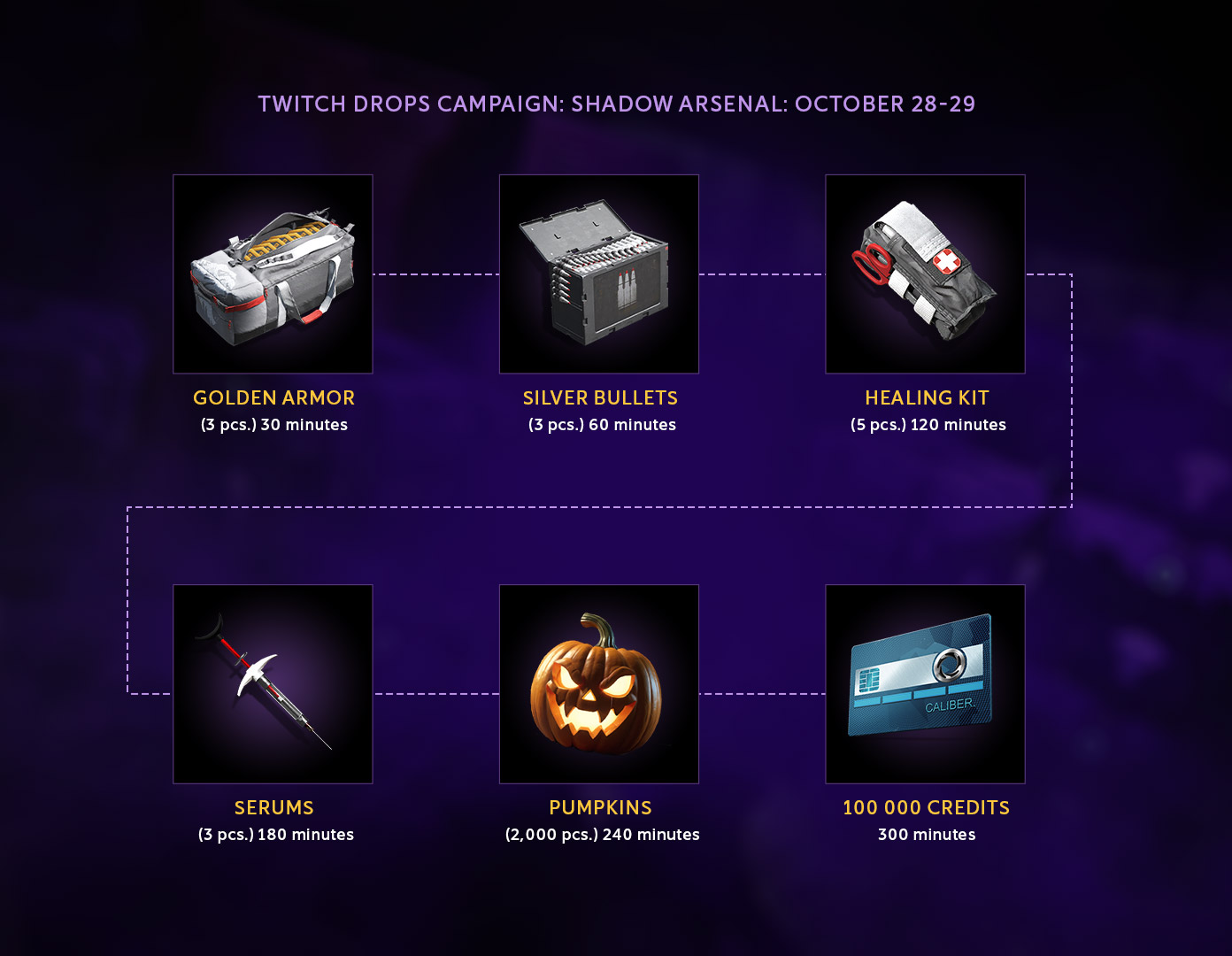
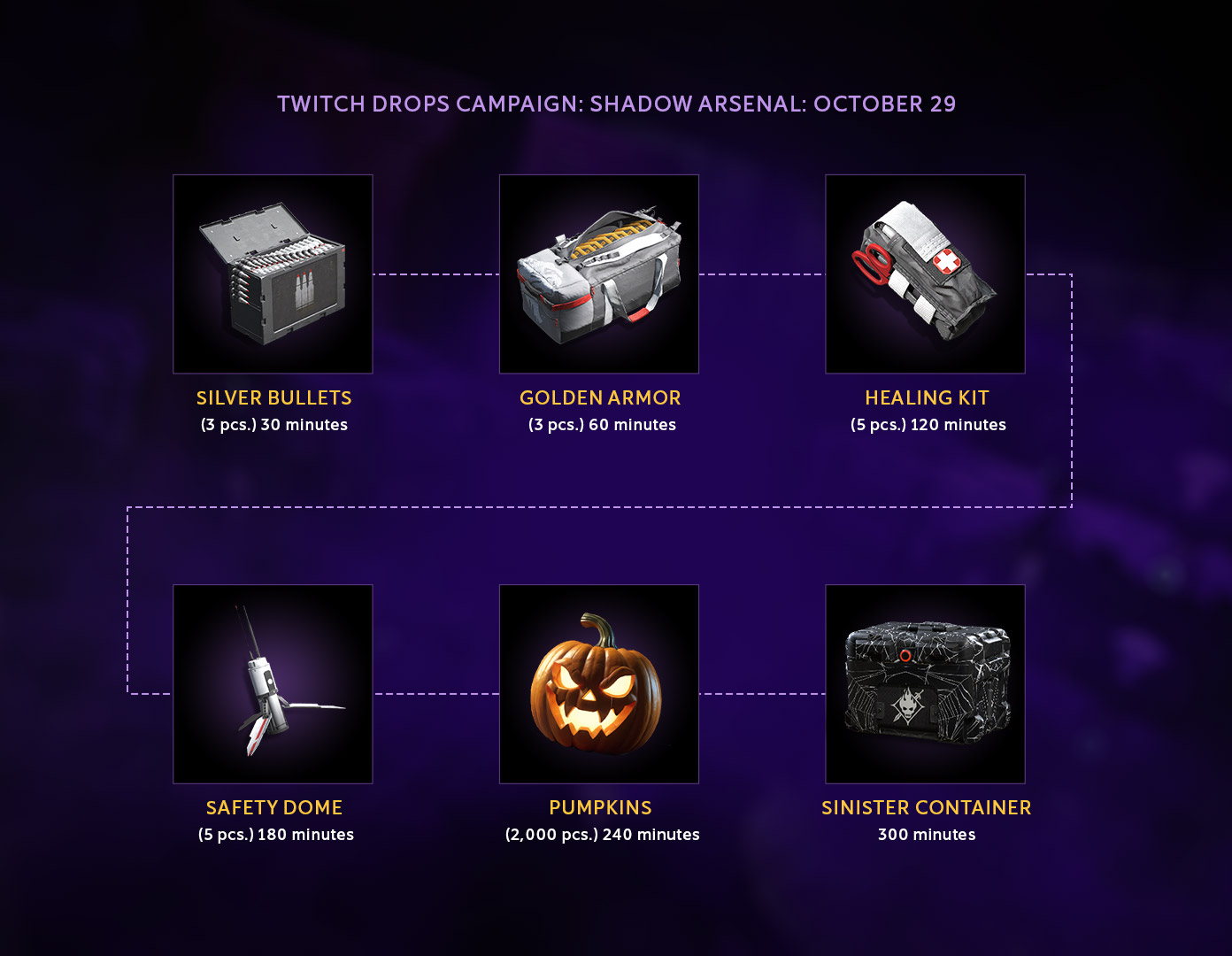
Each new Twitch Drops day starts at 08 AM UTC and ends at 07:59 AM UTC the next day.
During the Main Stage of the campaign, you can receive:
The Sinister Container will appear in the final reward of the day once every three days.
Start: October 30 at 9 PM UTC
End: November 1 at 8:59 PM UTC.
The rules change for the last three days! Now watch time accumulates throughout the entire Final Stage. Watch streams and accumulate 15 hours of watch time to reach the main reward of the campaign.
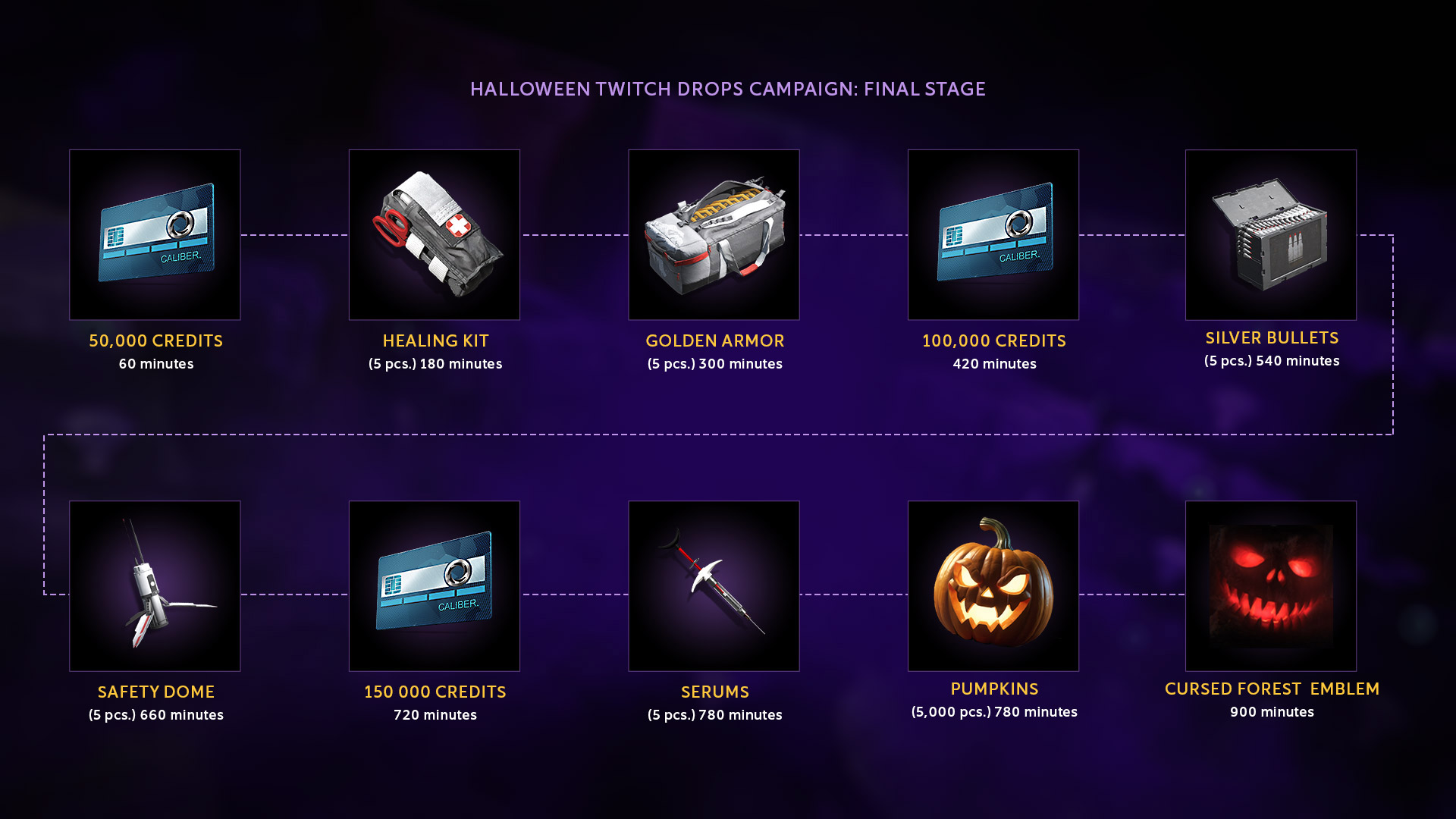
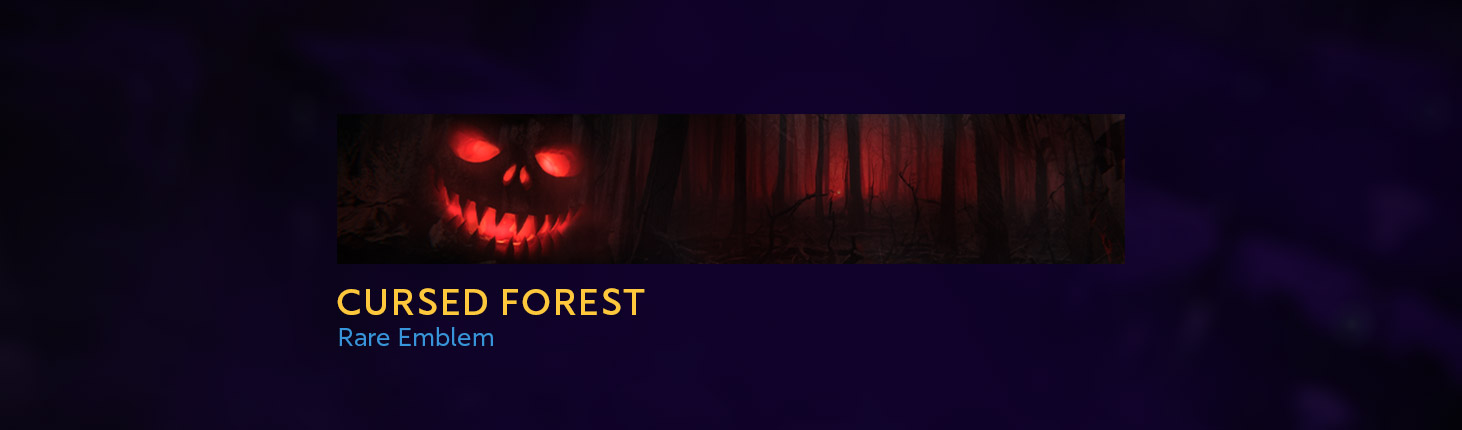
Over both stages, you can receive:
Follow this link to find streams with enabled Twitch Drops:
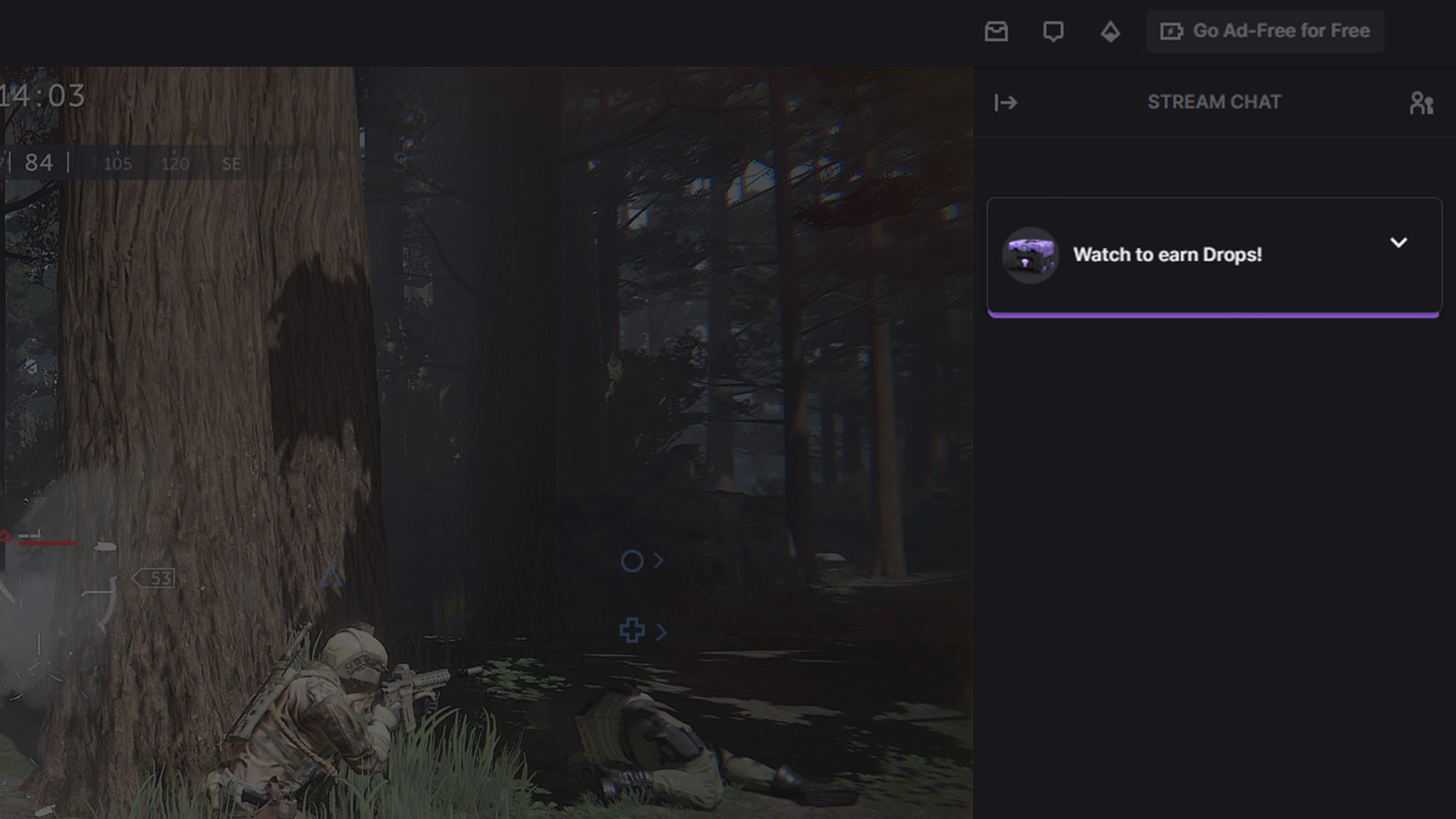
It's easy to determine whether you’ve found the right channel: when you open the livestream, a system message about Twitch Drops will immediately appear in the chat.


